
When you get a new NDIS plan, it will include how your plan is managed. This will specify who is going to pay your bills.
If you don’t know what option you chose (or what the NDIA chose for you), here’s how you can find out.
In this resource we will cover the following topics:
- If I already have a plan: how do I tell how my funds are managed?
- If I already have a plan: how do I tell how my funds are managed from the myNDIS participant portal (PACE)?
How do I tell how my funds are managed?
Under each budget category in your plan, it will say:
“My [support category] Supports funding is [management type] managed.”
Below are examples so you can see how it appears in your plan.
NDIA or agency managed
This is an example of a budget category that is NDIA-managed.
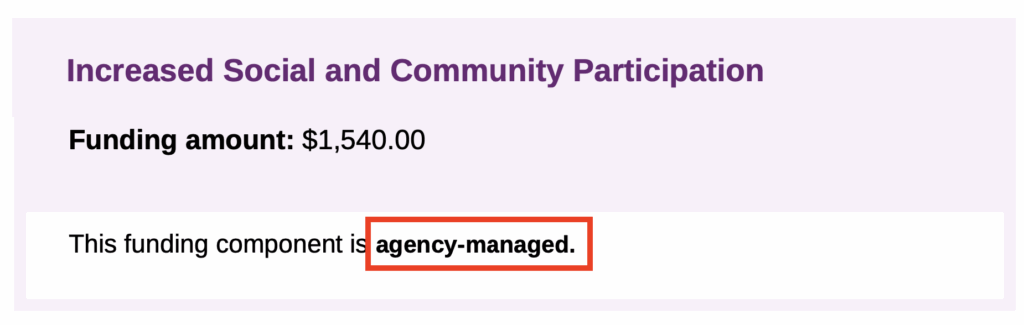
This is how it appears in a legacy (old) plan.

Plan managed
This is an example of a budget category that is plan-managed.
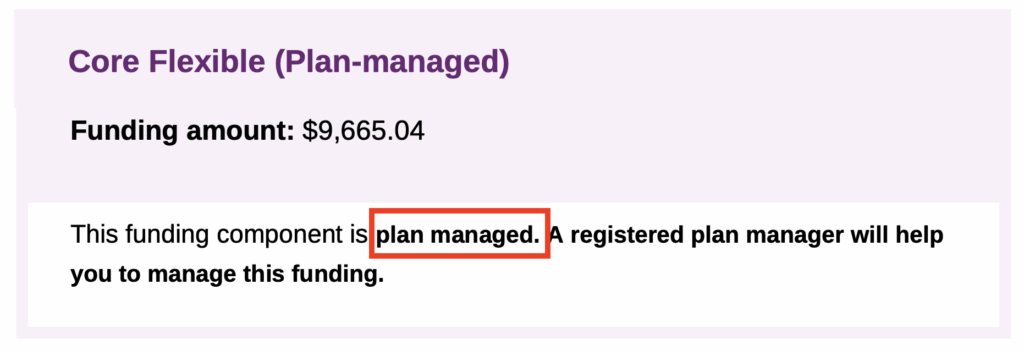
This is how it appears in a legacy (old) plan.

Self managed
This is an example of a budget category that is self-managed.
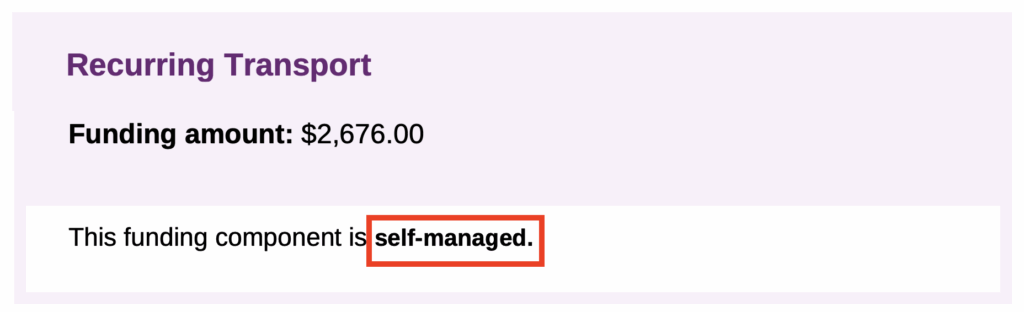
This is how it appears in a legacy (old) plan.

If I already have a plan…
How do I tell how my funds are managed from the myNDIS participant portal (PACE)?
Go to the Funded supports tab. Under Management type, it will be listed alongside the Support category in each funding component.
It may also show the total amount funded and the funding period (if this applies to your current plan).
Here is how the table may appear:
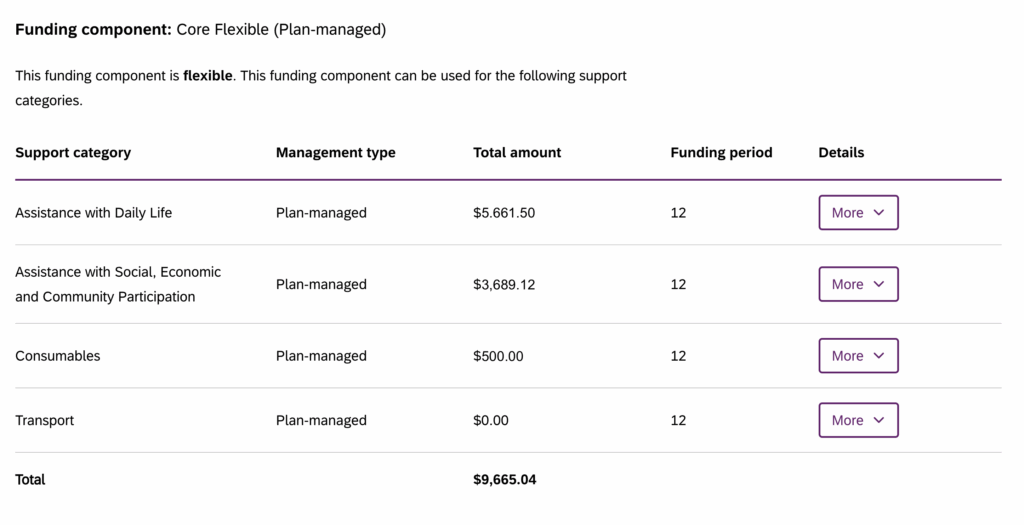
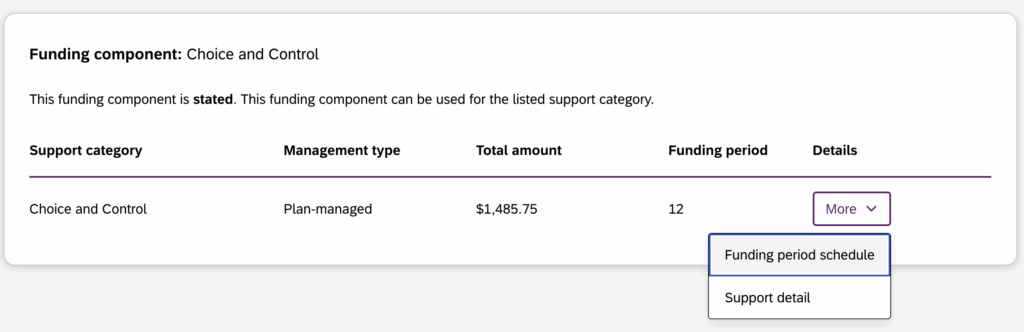
If any of your support categories or funding components are plan managed, then you will have the funding component called Choice & Control in your Funded supports.
Stated, in-kind, and quote-required supports
Some plans have specific items listed as stated, in-kind, or quote-required. Here’s what each one means:
- Stated supports (not flexible): You can’t swap stated supports for other supports. Your plan will list what the stated supports are and the line item/category they must be funded under.
- In-kind supports (pre-paid): These supports are prepaid by the government. You must use the specified provider because services are already booked.
- Quote required: Additional information (such as quotes and/or specialist reports) is required before funding can be made available in your plan.
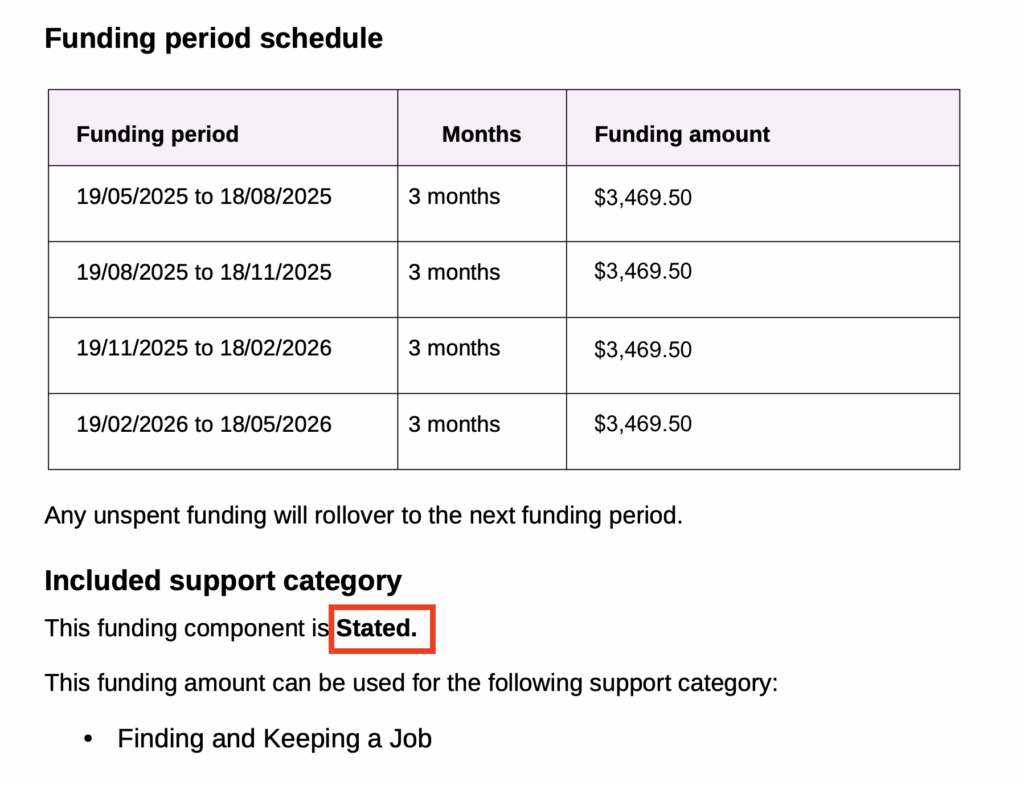
Stated supports are usually identified after the funding period schedule and listed under the Included support category heading.
Here is an example of how this may appear in your plan: